
Every small business is told to “post consistently” on its website, Facebook, Instagram, and Google. Almost nobody tells them how to do that without losing an afternoon every week.
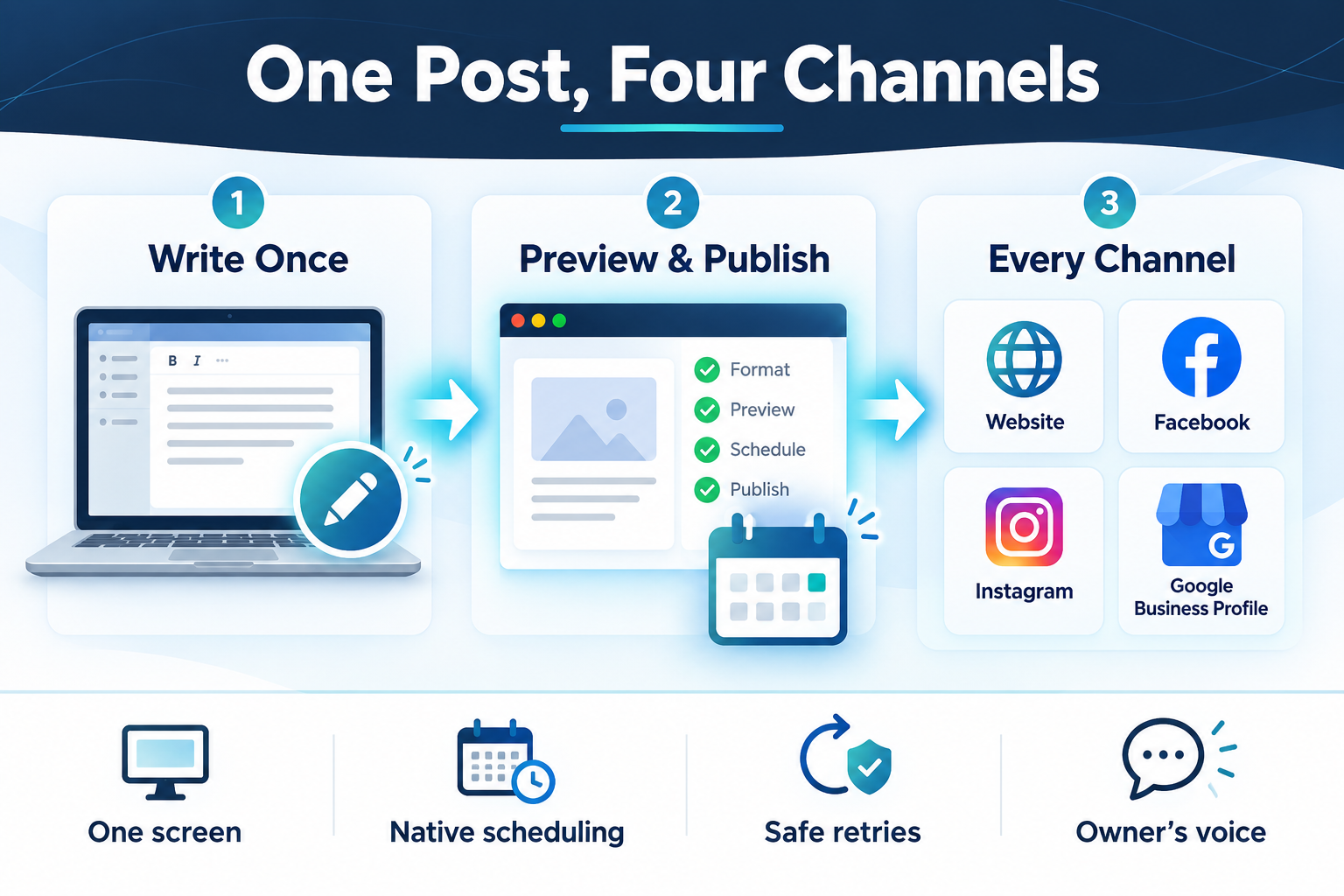
Elevera Health is a telehealth medical weight-loss clinic serving patients in Virginia, West Virginia, Washington, DC, and Maryland. As the clinic’s CTO, I built it a small publishing tool that turns one piece of content into a blog post, a Facebook post, an Instagram post, and a Google Business Profile update, each formatted for its channel and scheduled from a single screen. This case study covers the problem, the technical decisions, and one decision about AI that surprises people.
The problem: four platforms, four workflows
The clinic’s owner writes the content personally. That’s the right call for a healthcare practice: the voice, the claims, and the tone all need to come from the clinician. But publishing that content meant:
- Logging in to WordPress, formatting the post, uploading and naming an image, and filling in the SEO fields
- Rewriting a shorter version for Facebook, with a link back to the article
- Rewriting it again for Instagram, which has different length limits and doesn’t allow clickable links in captions
- Posting an update to Google Business Profile, which has its own length limit and button options
- Remembering which of those steps had already been done
None of it is hard. All of it is tedious, and tedious work is the first thing to slip when a clinic gets busy. The goal was simple: write once, review once, publish everywhere.
Decision 1: A local tool, not another subscription
There are plenty of social media schedulers on the market. Most charge per channel or per seat, few of them handle WordPress blog posts with SEO fields properly, and each one is another account holding the clinic’s login tokens.
Instead, the tool is a small Python and Flask web app that runs on the owner’s own computer and opens in a web browser. It uses a SQLite database for drafts and publishing history, Bootstrap for a clean interface, and a Quill rich-text editor with an HTML view for anyone who wants it. There’s no server to maintain, no monthly fee, and the credentials for each platform stay on the owner’s own computer.
Keeping it small was a deliberate choice. The whole application is about 4,200 lines of code, and the database changes are simple, hand-written upgrade steps rather than a migration framework. A tool like this should be easy for the next developer to understand in an afternoon.
Decision 2: Talk to each platform directly
Each channel connects through its official API:
- WordPress REST API for blog posts and images, using an application password rather than the owner’s login. Posts go up with their category, featured image, URL slug, and Yoast SEO fields (focus keyphrase, SEO title, and meta description), so every article is search-ready the moment it’s published. Images are renamed from the post title and given matching alt text, which helps both accessibility and image search.
- Meta Graph API for the clinic’s Facebook Page and Instagram account.
- Google Business Profile API for posts on the clinic’s Google listing, with a “Learn more” button that sends people to the right page on the website.
Every platform has a Test Connection button, so when a token expires or a permission changes, the owner finds out in the settings screen, not in the middle of publishing.
Decision 3: The website goes first, then everything points to it
For a blog post, the tool publishes to WordPress first. Only when that succeeds does it build the social versions, so every channel can link to a real, live article:
- Facebook gets the summary plus “Read the full article” and the link.
- Instagram gets the summary plus “Link in bio,” because Instagram captions can’t contain clickable links.
- Google Business Profile gets the summary with a Learn more button pointing at the article.
If WordPress fails, the social posts are held back. Nothing points people to a page that doesn’t exist.
Shorter social-only posts skip the blog and go out to all three social channels at once, with the Google button pointing to the relevant service page. The editor shows live character counters for each platform’s limits (2,200 for Instagram and 1,500 for Google, for example) and a preview of how the post will look on each channel before anything is sent.
Decision 4: Let each platform handle its own scheduling
The first version had its own scheduling queue inside the app. That has a hidden flaw: a scheduler on a laptop only works if the laptop is on.
So the queue was removed in favor of each platform’s native scheduling. WordPress, Facebook, and Google Business Profile all accept a future publish time, so a scheduled post is handed off immediately and goes live on time even if the computer is closed. The tool publishes the article early in the morning and the social posts in the early afternoon, when people are more likely to see them.
Platform quirks shaped the details:
- Facebook only allows scheduling a limited number of days ahead, so the date picker enforces the limit up front.
- Instagram doesn’t offer scheduling for this kind of account, so it publishes immediately. Instagram also needs a public web address for images, so the tool uploads images to the clinic’s WordPress media library first and hands Instagram that address. As a bonus, every image ends up archived in one place.
- Google Business Profile API access requires approval from Google. The integration was built, held until that approval came through, then switched on.
Decision 5: Make failures boring
When you publish to four services, eventually one of them will have a bad day. The tool is designed so that is a non-event:
- Every attempt is recorded in a publishing log, per platform.
- Retries are safe. If Facebook succeeded and Google failed, a retry only sends to Google. Nothing gets posted twice.
- If every platform fails, the post goes back to draft instead of disappearing into a “failed” state, so it’s easy to find and try again.
- Detailed error logs are kept on disk (rotated so they never grow out of control), while the screen shows a plain-English message.
Decision 6: Keep AI out of the app on purpose
This is the part people don’t expect from an AI consultant.
The very first version of the tool included built-in AI writing: press a button and get a draft post. We removed it the same day.
For a medical practice, the words matter. The owner wants every post in their own voice, with claims they’re comfortable standing behind. A “generate” button makes it far too easy to publish something nobody really wrote. So the tool doesn’t write anything. It formats, previews, and publishes what the owner writes.
AI still helps, in the place where the owner stays in control. The tool’s Help page includes ready-made prompts to paste into ChatGPT or Claude when a starting point would help:
- A blog prompt that returns clearly labeled sections (title, article, social teaser, focus keyphrase, SEO title, URL slug, and meta description) that map one-to-one onto the fields in the editor
- Caption prompts for Facebook and Instagram, including hashtags
- Image prompts with guidelines that suit a healthcare brand: real, relatable people instead of fitness models, and no before-and-after photos or fear-based imagery
Type a topic once and every prompt updates. The owner reviews and edits everything, previews it on every channel, and only then publishes. The tool also stores no patient information at all, only the posts and their publishing history.
Where AI did help: building the tool
The tool itself was built with AI as a pair programmer, using Claude Code. The first working version came together in a single day, and the core of the app was finished within about three days. Most of the development history was written with an AI assistant, with me making the architecture calls and reviewing every change.
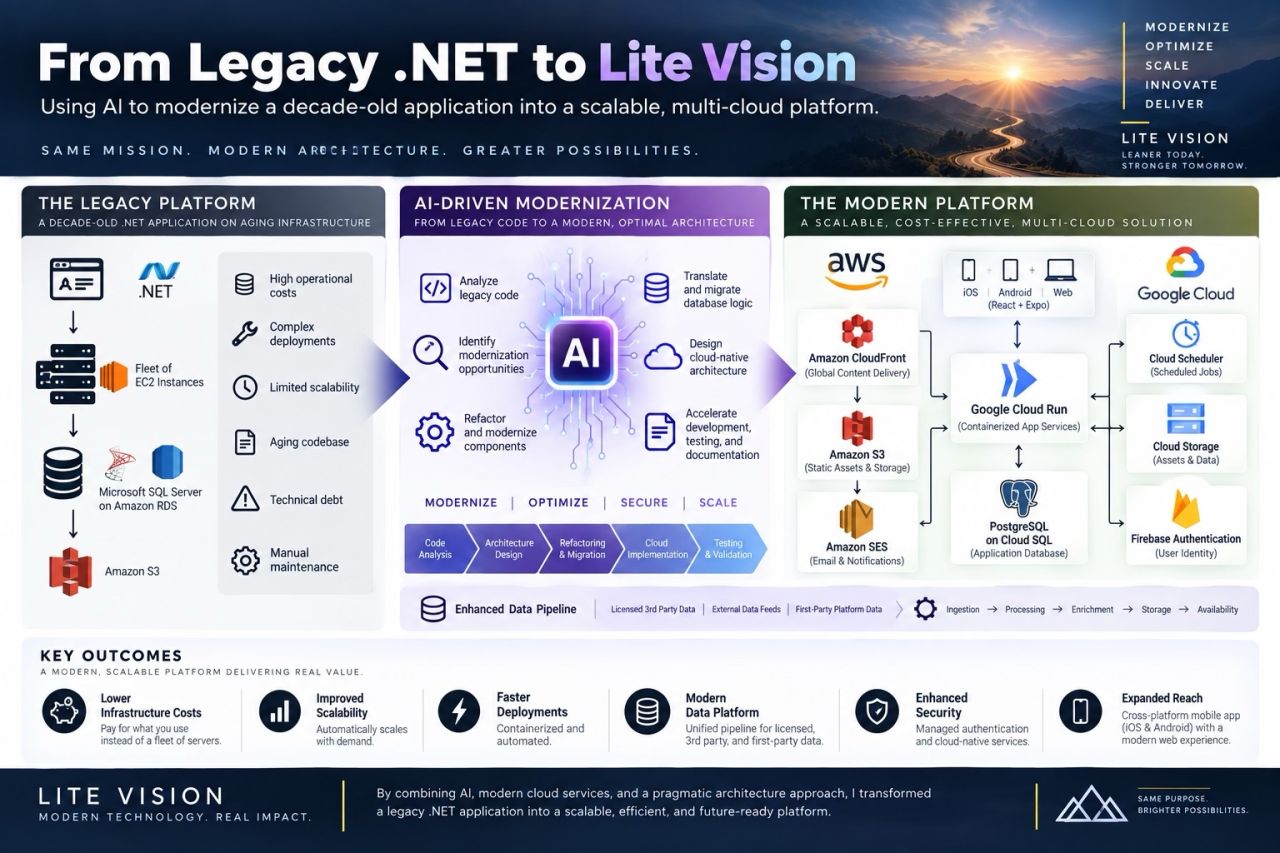
It’s the same pattern as our BarFinder modernization: AI dramatically speeds up the building, while people stay responsible for the decisions and for what gets published.
The results
- One screen instead of four logins. Write once, preview each channel, and publish or schedule everything in a single step.
- Consistent output. Since launch, the clinic has published regularly to its website, Facebook, and Google Business Profile, with every blog post going out with complete SEO fields and properly named, described images.
- No new subscriptions and no third party holding the clinic’s account access.
- The owner’s voice, intact. AI is available as an assistant, never as the author.
Combined with a new website and an ongoing SEO program, it has helped Elevera Health turn “we should post more” into a routine. In the owner’s words, they saw measurable increases in traffic and patient inquiries within weeks of launch.
Could your business use something like this?
Small, focused automation is often the best first step with AI and modern tools: a clear, repetitive task, a simple tool built around it, and a person still in charge of the output. If your team spends hours a week copying the same information between systems, or you’d like to know where AI would actually help, take a look at our AI consulting and small business services, or request a free consultation.